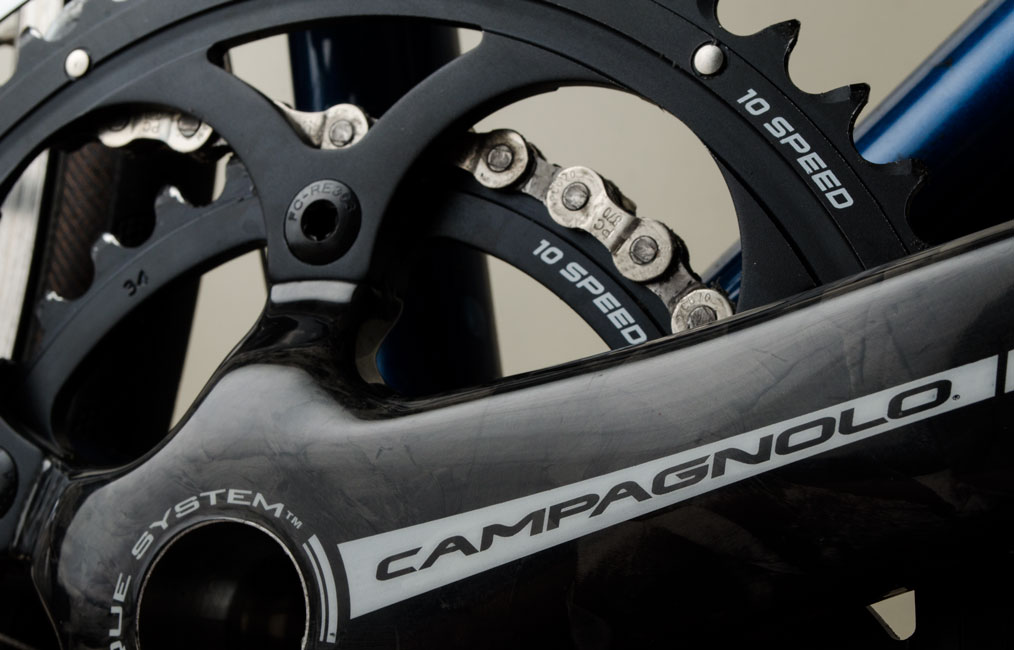
Campagnolo Centaur Power Torque CT Carbon Crankset 10s (50-34) on my De Rosa Professional.

The blog of a Leslie Wong
Campagnolo Centaur Power Torque CT Carbon Crankset 10s (50-34) on my De Rosa Professional.

OS X Mountain Lion won’t run on my Apple Macbook (Late 2006)

I installed the Microsoft Windows 8 Release Preview (x64) on my Apple Macbook (Late 2006). Over the years I’ve upgraded my Macbook’s hardware – it now has 3 GB RAM, a 120 GB OCZ Agility 3 SSD and a 320 GB Western Digital WD3200BEKT hard disk. I use rEFIt as the boot manager for the two main operating systems that I use, Windows 7 and OS X Lion.
I ran the Windows 8 setup program from an external DVD drive while booted to Windows 7 and the installation took about 25 minutes. Everything worked pretty well except the audio. I could see by the red glow coming from the audio jack that it had to defaulted to the SPDIF (digital) output. I installed the Bootcamp 4.0 IDT Sigmatel audio drivers and the analog sound output started working.
Thanks to Paul Thurrott for the instructions on setting up Windows Media Center, I was able to get the TV tuner working after I installed the Silicon Dust HDHomeRun TV tuner Windows drivers.
Once I got the dual monitor setup working and installed Google Chrome, I realized that Windows 8 is pretty much like Windows 7, except for the Metro interface. It seems that Microsoft’s goal with Windows 8 is to simplify Windows with Metro. The side effect of this is hiding everything that is of use to the power user – which made the learning curve going from Windows 7 to 8 slightly steeper. Fortunately, switching between Metro and the desktop interface is simple. The main problem with the Metro interface for me (besides that you can only see one running app at a time) is that I would never use the apps that are tiled on the main screen.
When I realized it would take me a week to install everything else to get to the equivalent of the working system I had on Windows 7, I did an image restore back to Windows 7.
I’m not so down on Windows 8 now that I’ve used it for a while. Microsoft has made improvements in Windows 8 that are helpful to the power user – Windows Explorer – now called File Explorer – is much more robust, for example. Windows 8 even runs fairly quickly on my 5.5 year old hardware and it only took about 30 seconds to boot. So while it looks like Windows 8 will run well on this legacy system, unfortunately Apple won’t be supporting my MacBook (Late 2006) with it’s next OS, Mountain Lion.

with apologies to Ed Ruscha.
The YouTube description from NASA Goddard: “Launched on Feb. 11, 2010, the Solar Dynamics Observatory, or SDO, is the most advanced spacecraft ever designed to study the sun. During its five-year mission, it will examine the sun’s atmosphere, magnetic field and also provide a better understanding of the role the sun plays in Earth’s atmospheric chemistry and climate. SDO provides images with resolution 8 times better than high-definition television and returns more than a terabyte of data each day.
On June 5 2012, SDO collected images of the rarest predictable solar event–the transit of Venus across the face of the sun. This event happens in pairs eight years apart that are separated from each other by 105 or 121 years. The last transit was in 2004 and the next will not happen until 2117.
The videos and images displayed here are constructed from several wavelengths of extreme ultraviolet light and a portion of the visible spectrum. The red colored sun is the 304 angstrom ultraviolet, the golden colored sun is 171 angstrom, the magenta sun is 1700 angstrom, and the orange sun is filtered visible light. 304 and 171 show the atmosphere of the sun, which does not appear in the visible part of the spectrum.“